Digital Poster Display Features Built Right In
Adjustable Timing
Control exactly how long each poster displays before cycling to the next. Set it and forget it—your display runs automatically.
Rating Controls
Set a maximum rating to filter content. Perfect for family rooms or public spaces where you want to control what's displayed.
Rotation Flip
Easily flip the display orientation to match your setup, regardless of rotation direction.
Zero Setup
Install and go. PosterBox displays beautiful full-resolution posters immediately—no external devices or complex configuration needed.
Multi-TV Support
Install on every Android OS-based TV you own. Share across all your devices—no restrictions.
UI Themes
Choose from four distinct cinema themes — Modern, Traditional, Noir, and Neon — each delivering a unique home theater atmosphere. Switch themes instantly from Settings.
Plex Integration Premium
Connects directly to your local Plex server — no webhooks or relay server needed. When you press Play, PosterBox automatically switches to the Now Playing poster and shows the remaining runtime.
Jellyfin & Emby Integration Premium
Native integration with your local Jellyfin or Emby media server. When a movie starts playing, PosterBox instantly detects it and switches to the Now Playing poster with remaining runtime.
Kaleidescape Integration Premium
PosterBox integrates with Kaleidescape cinema players — one of the finest home cinema systems available. When a movie starts on your Kaleidescape, PosterBox automatically displays the matching poster.
Zidoo Integration Premium
PosterBox integrates with Zidoo media players via the local HTTP API. Enter your player's IP address and you're done — no configuration needed on the Zidoo side. When a movie starts, the poster switches automatically.
Kodi Integration Premium
PosterBox connects to Kodi via its built-in JSON-RPC API. Enable remote control in Kodi's settings, enter the IP address in PosterBox, and the poster display updates automatically whenever you start a movie. Uses TMDB and IMDB IDs from your Kodi library for instant matching — or falls back to a title search for files that haven't been scraped yet.
Custom Playlist Premium
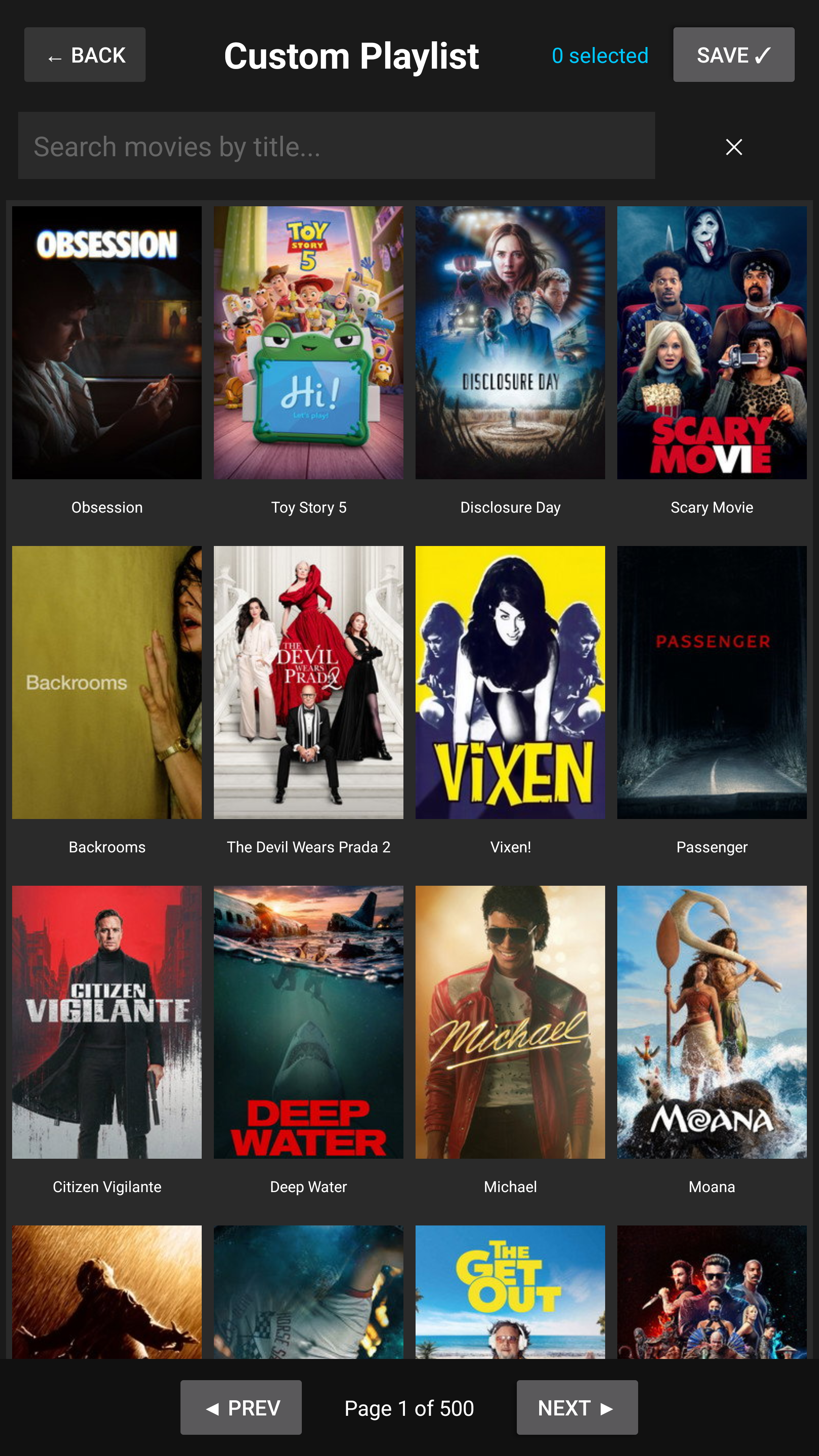
Hand-pick exactly which movie posters appear on your display. Search thousands of titles, tap to select your favorites, and save a personal playlist that cycles on your TV.
Google Drive Playlists Premium
Link any playlist to a public Google Drive folder and display your own images — holiday artwork, birthday photos, game day graphics, event décor, and more. Images sync on demand with a single tap.
Community Playlists Premium
Share your custom playlists with the PosterBox community or browse and download curated collections from other users. Browsing is free — sharing and downloading requires Premium.
Dynamic Accent Color Premium
PosterBox analyzes each poster and automatically shifts the UI accent color — edge glows, accent lines, and dividers — to match that poster's dominant palette. Smooth animated transitions give every poster its own look and feel, with guaranteed high-contrast text readability.
Theater Info Panel Premium
A full cinema marquee alongside every poster — star rating, director, top cast, MPAA rating badge, genres, runtime, and release date, all fetched automatically from the world's largest movie database. No lookup required.
Theater Marquee Banner Premium
Replace the plain text header with a stunning animated marquee banner. Choose from eight cinema-inspired styles — Art Deco, Drive-In, Filmstrip, Premiere Curtain, Holographic, OLED, Spacecraft HUD, and Cyberpunk — each a full-motion animated display that fills the top panel.
Synopsis Overlay Premium
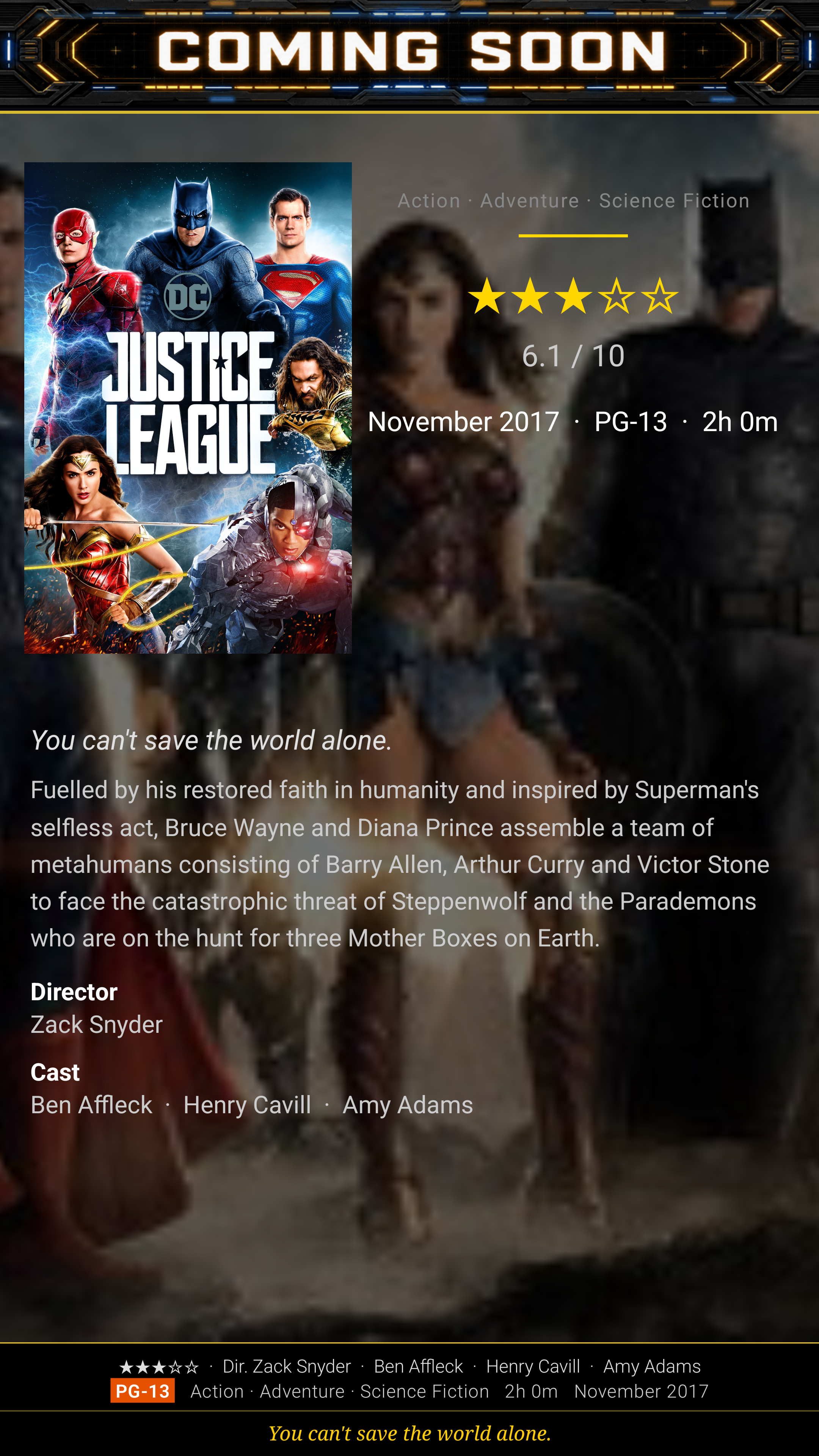
Press OK on your remote to reveal a full movie detail overlay — a blurred backdrop fills the center panel while the poster floats in the corner. Shows star rating, genres, runtime, full synopsis, tagline, director, and cast. Auto-alternates with the poster every 30 seconds when enabled in Settings.
Cinema-Quality Home Theater Poster Display
Designed for the Ultimate Home Theater
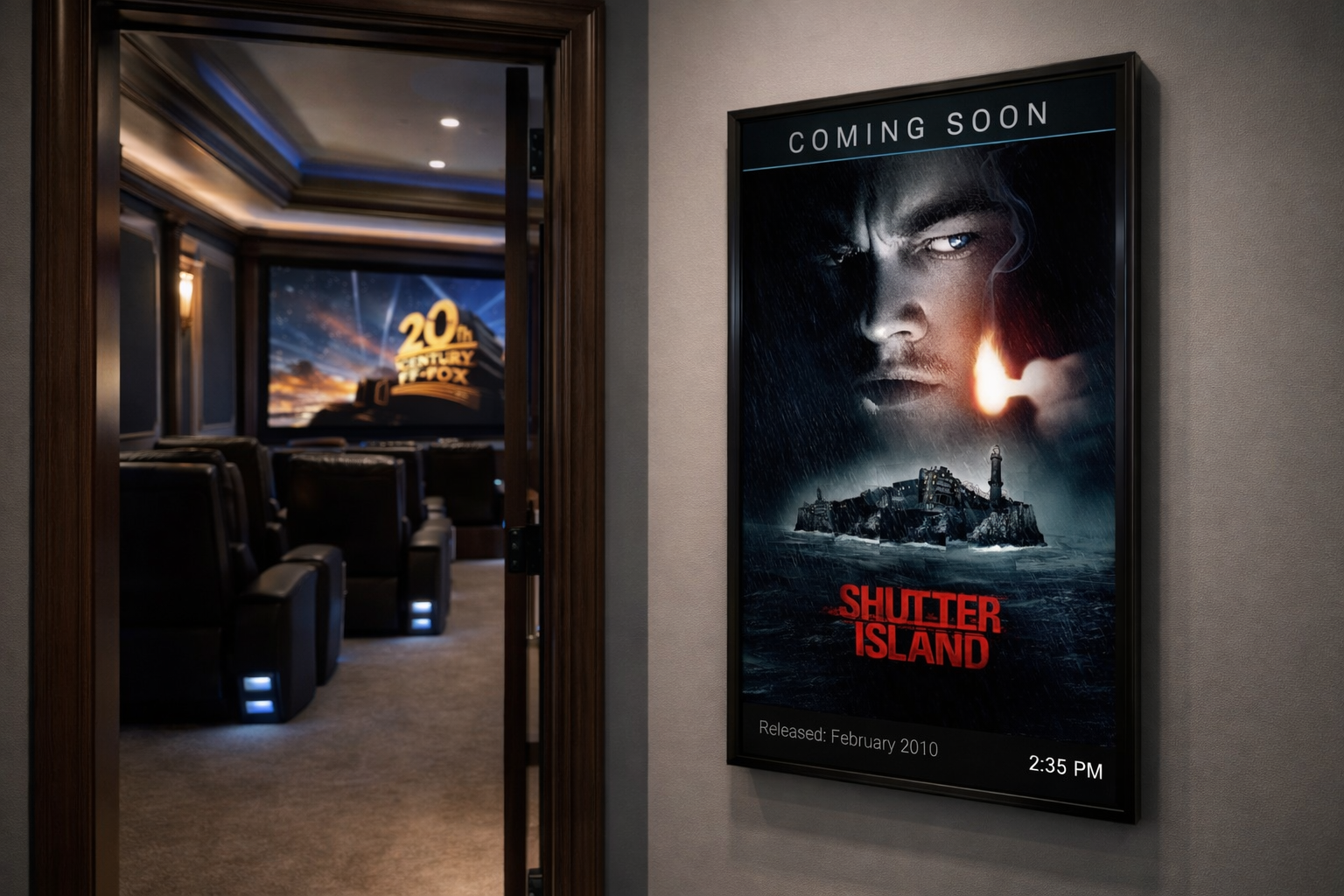
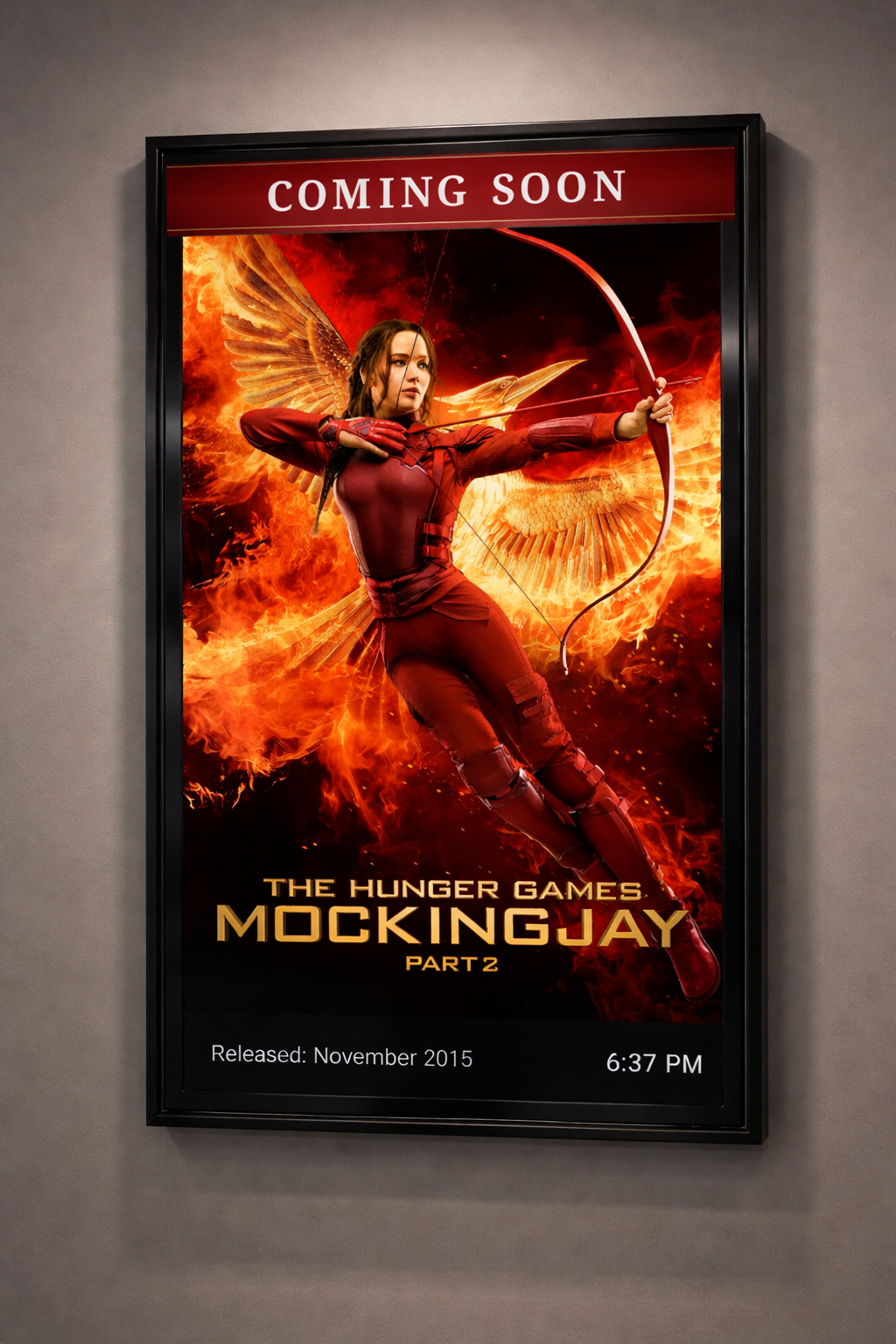
PosterBox delivers a polished, professional look that rivals commercial cinema displays. Each poster is shown in stunning full resolution with elegant "Now Playing" headers and real-time clock display.
Whether you're setting up a dedicated home theater or adding ambiance to your living room, PosterBox creates that authentic movie-going atmosphere.
- Full-resolution movie posters
- Posters are added daily and curated automatically from the best movie database source in the world.
- Elegant customizable header message and real-time clock
- Perfect for portrait-mounted TVs — includes rotation flip
- Four UI themes — Modern, Traditional, Noir, Neon
- Plex, Jellyfin, Emby, Kaleidescape, Zidoo, and Kodi integration
Your Theater, Your Movie List
Build Your Own Custom Poster Playlists
Premium subscribers can create up to 15 named playlists and hand-pick exactly which movie posters cycle on their display. Browse thousands of titles from the world's largest movie database, select your favorites, and save them to any named collection.
Perfect for themed setups — a horror collection for Halloween, your all-time classics, or films you're excited to watch next. Switch the active playlist any time from the Playlist Manager.
- Create up to 15 named playlists
- Search and browse thousands of titles
- Tap any poster to add or remove it from your list
- Set any playlist as active — switch between themes instantly
- "Selected only" filter instantly shows just your chosen posters while editing
Your Display, Your Photos
Show Any Image You Want — From Your Own Google Drive
PosterBox isn't just for movie posters. Link any playlist to a public Google Drive folder and your display cycles through whatever images you upload — no limits on subject matter, no database to search. Just drop images into a folder and sync.
Great for any occasion where a personal touch matters more than a movie database:
- 🎂 Birthdays — fill the display with photos of the guest of honor
- 🎄 Holidays — swap in Christmas, Halloween, or Thanksgiving artwork for the season
- 💍 Weddings & Anniversaries — cycle through engagement photos or milestone memories
- 🏀 Game Day — show team logos, player photos, or hype graphics
- 👶 New Baby — cycle newborn photos so every visitor sees them
- 🎓 Graduations — celebrate the grad with a rotating milestone display
How It Works
Create a folder in Google Drive, set sharing to "Anyone with the link can view", and drop in your images. In PosterBox, create a new playlist and choose Google Drive Folder when prompted for the playlist type. Type in the folder ID from your share URL — it's the alphanumeric string at the end — and PosterBox syncs the images instantly.
- Works with JPG, PNG, and other common image formats
- Images stream directly — no local storage used
- Add new images to the folder any time and tap Sync ↻ to update
- Best results with 2:3 portrait aspect ratio images
- Drive playlists stay private — they cannot be shared to Community
Share Your Collection With the World
Community Playlists
Your custom playlists don't have to stay private. With one tap you can share any of your playlists to the Community tab, where other PosterBox users can browse and download it. It's a living collection — any edits you make to a shared playlist are automatically synced to the community.
Browsing community playlists is free for everyone. Premium subscribers can share their own playlists and download community playlists directly into their local library, ready to set as active and display.
- Share any playlist to the community with one tap
- Browse by Most Downloaded or Newest
- Preview every poster in a community playlist before downloading
- Downloaded playlists go straight into your library — set active instantly
- Edits to your shared playlists sync automatically
How It Works
Open the Playlist Manager from Settings → Poster Content → Manage Playlists. The My Playlists tab shows your personal library — tap Share on any playlist to publish it. You'll be prompted once for a display name that appears alongside your playlists in the community.
Switch to the Community tab to discover what others have shared. Tap View on any playlist to preview its posters, then Download to add it to your library.
- Browsing community playlists is free for all users
- Sharing and downloading requires a Premium subscription
- Downloads count toward your 15-playlist limit
- Unshare any playlist at any time from the Playlist Manager
Bring the Cinema Lobby to Your Home
Animated Theater Marquee Banner
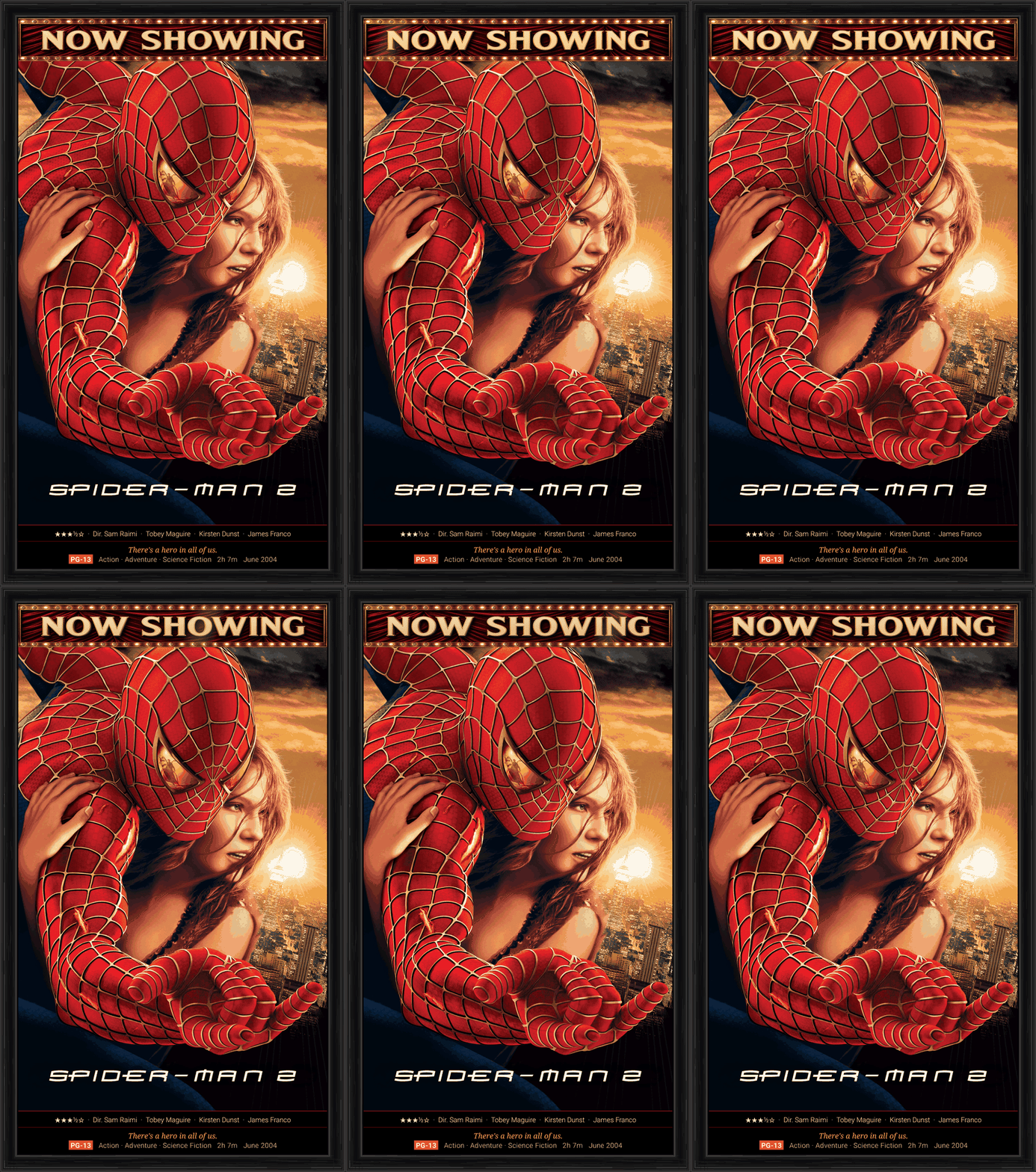
Replace the plain "Now Showing" text header with a full-motion animated marquee banner. Eight hand-crafted cinema-inspired styles fill the top panel of your display with character and atmosphere.
Each banner is a carefully designed looping animation — no performance impact, no extra hardware required. Switch between styles any time from Settings. You can also enter a Custom URL to display your own animated GIF as the marquee banner.
When connected to a media server (Plex, Jellyfin, Kaleidescape, Zidoo, or Kodi), the marquee automatically switches to an animated Now Playing GIF during playback and an Intermission GIF when paused — then returns to your selected banner when stopped.
- Art Deco – Now Showing
- Drive-In – Coming Soon
- Filmstrip – Coming Soon
- Premiere Curtain – Now Showing
- Holographic – Now Showing
- OLED – Now Showing
- Spacecraft HUD – Coming Soon
- Cyberpunk – Coming Soon
- Custom URL — use your own animated GIF
Every Poster Tells the Whole Story
Synopsis Overlay
Press the center D-pad button on your remote to reveal a full movie detail overlay. A blurred backdrop image fills the center panel while the poster shrinks and floats in the corner — every detail about the film displayed at a glance, cinema-lobby style.
Enable Alternate Poster and Detail in Settings to have PosterBox automatically alternate between the poster and the synopsis every 30 seconds — no button press needed.
- Blurred backdrop image fills the center panel
- Star rating, genres, runtime, MPAA rating, and release date
- Full tagline and synopsis
- Director and top billed cast
- Auto-alternates with the poster every 30 seconds when enabled
The No-PC Digital Poster Display Solution
Traditional Poster Display Setup
- Requires expensive external PC for each display
- Complex OS configuration and maintenance
- Cable management hassle running connections to TVs
- Technical knowledge required for setup
- Some systems require you to manually download and manage your posters
With PosterBox
- Works with any Fire TV, Android TV, or Google TV—built-in or low-cost stick devices
- All posters are up to date and downloaded automatically for you
- All settings accessible right inside the app
- Install once, display immediately—no extra hardware
- Share across all your TVs
Bottom line: If you have a Fire TV, Android TV, or Google TV—whether built into your television or through an affortable Stick—you're ready to go. No PC, no cables, no configuration headaches. Dedicated 43" and 50" 4k Fire TVs are well under $200, making a dedicated digital PosterBox very affordable.
Get PosterBox Now — It's Free
Search for PosterBox directly in your device's app store and install it in seconds.
On your Fire TV, go to the Find menu or press the Search button on your remote and search for PosterBox.
On your Android TV or Google TV, open the Google Play Store and search for PosterBox to install it for free.